
C# 15 & .NET 11: Real Code Examples Every .NET Developer Should See


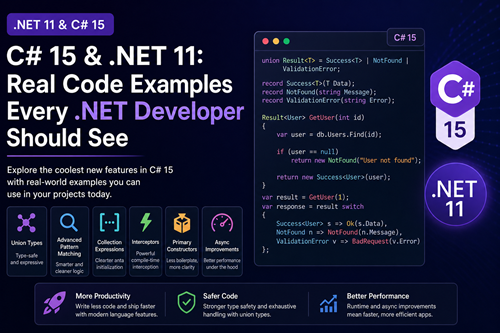
As .NET continues to evolve, .NET 11 and C# 15 introduce some of the most impactful changes in recent years—especially around type safety, performance, and developer productivity.
If you're a .NET developer working with APIs, microservices, or enterprise apps, this post breaks down real-world code examples you can actually use—not just theory.
1. Union Types (Discriminated Unions) — Finally in C#
This is easily the biggest feature in C# 15.
The Old Way (C# ≤ 14)
Most developers used something like:
public class Result
{
    public bool IsSuccess { get; set; }
    public string? Error { get; set; }
    public object? Data { get; set; }
}
Pro
blems:
- No type safety
- Runtime casting issues
- Hard to maintain
C# 15 — Union Types
union Result<T> = Success<T> | NotFound | ValidationError;

record Success<T>(T Data);
record NotFound(string Message);
record ValidationError(string Error);
Real API Usage
Result<User> GetUser(int id)
{
    var user = db.Users.Find(id);

    if (user == null)
        return new NotFound("User not found");

    return new Success<User>(user);
}
Clean Pattern Matching
var result = GetUser(1);

var response = result switch
{
    Success<User> s => Ok(s.Data),
    NotFound n => NotFound(n.Message),
    ValidationError v => BadRequest(v.Error)
};
👉 This replaces:
OneOf- Custom wrappers
- Exception-based flow
2. Advanced Pattern Matching
C# 15 enhances pattern matching to work beautifully with unions.
string Handle(Result<int> result) => result switch
{
    Success<int> { Data: > 100 } => "High value",
    Success<int> { Data: <= 100 } => "Normal value",
    NotFound => "Missing",
    ValidationError v when v.Error.Contains("critical") => "Critical error",
    _ => "Unknown"
};
👉 Cleaner, safer, and more expressive than nested if-else.
3. Collection Expressions (Cleaner Data Initialization)
Before:
var numbers = new List<int> { 1, 2, 3 };C# 15:
int[] arr = [1, 2, 3, 4];
List<int> list = [1, 2, 3];
Span<int> span = [1, 2, 3];
Spread Operator
var moreNumbers = [..arr, 5, 6];👉 Works across arrays, lists, and spans—very flexible.
4. Interceptors (AOP-like Power)
Interceptors allow compile-time method interception.
[InterceptsLocation("Program.cs", line: 10, column: 5)]
public static void LogInterceptor()
{
    Console.WriteLine("Method intercepted!");
}
Use Cases:
- Logging
- Validation
- Caching
- Metrics
⚠️ Still evolving, but powerful for frameworks and libraries.
5. Primary Constructors Everywhere
Less boilerplate for dependency injection.
Before:
public class OrderService
{
    private readonly IRepo _repo;

    public OrderService(IRepo repo)
    {
        _repo = repo;
    }
}
C# 15:
public class OrderService(IRepo repo)
{
    public Order Get(int id) => repo.Get(id);
}
👉 Cleaner and more maintainable.
6. Async Improvements (Under the Hood)
No syntax change, but major runtime improvements:
public async Task<string> GetDataAsync()
{
    await Task.Delay(100);
    return "Done";
}
What improves:
- Better performance
- Reduced allocations
- Cleaner stack traces
7. Real ASP.NET Core Example
Putting it all together:
union ApiResult<T> = Ok<T> | NotFound | Error;

record Ok<T>(T Data);
record NotFound(string Message);
record Error(string Message);

app.MapGet("/users/{id}", (int id) =>
{
    ApiResult<User> result = GetUser(id);

    return result switch
    {
        Ok<User> u => Results.Ok(u.Data),
        NotFound n => Results.NotFound(n.Message),
        Error e => Results.BadRequest(e.Message)
    };
});
👉 This is clean, type-safe, and production-ready (once stable).
Why This Matters
Biggest Wins in C# 15:
- Type-safe APIs with Union Types
- Cleaner logic with Pattern Matching
- Less boilerplate with Primary Constructors
- Better performance with runtime async improvements
Should You Use It Today?
Use C# 15 / .NET 11 if:
- You're experimenting
- Building internal tools
- Exploring modern patterns
Avoid if:
- You're building production systems
- You need long-term stability
👉 For production, stick to .NET 10 (LTS) for now.
Final Thoughts
C# 15 isn’t just an incremental update—it’s a shift toward safer, more expressive code.
The introduction of Union Types alone will change how .NET developers design APIs and handle errors.
