
How to Disable Accidental Touch Protection on Samsung Phones (Step-by-Step Guide)?


If you’ve ever picked up your phone and seen a message like:
“Accidental touch protection – Your phone is being protected from accidental touches”
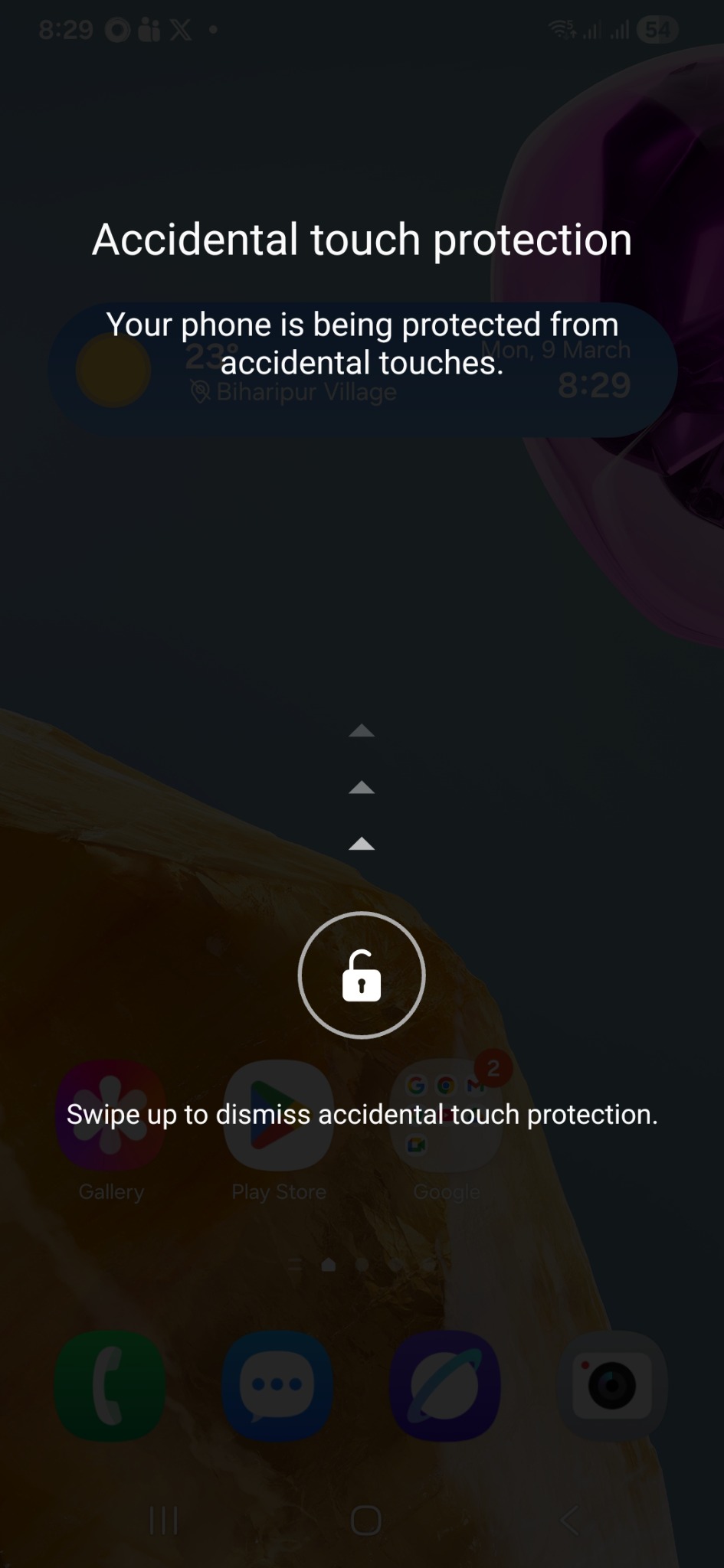
you’re not alone. This feature is common on Samsung smartphones and can sometimes feel more annoying than helpful—especially when it pops up frequently.
In this guide, we’ll explain what it is, why it happens, and how to disable it permanently.
📱 What is Accidental Touch Protection?
Accidental Touch Protection is a built-in feature designed to prevent unintended screen interactions when your phone is:
- In your pocket
- Inside a bag
- Covered or placed face down
It uses the proximity sensor to detect when the screen might be accidentally touched.
⚡ Quick Fix (Temporary)
If the screen appears and you just want to unlock your phone:
- Look for the arrows (▲▲▲) on the screen
- Swipe up from the bottom
- Unlock your phone normally
🔧 How to Disable Accidental Touch Protection (Permanent Fix)
If the feature is triggering too often, you can turn it off completely:
Follow these steps:
- Open Settings
- Tap on Display
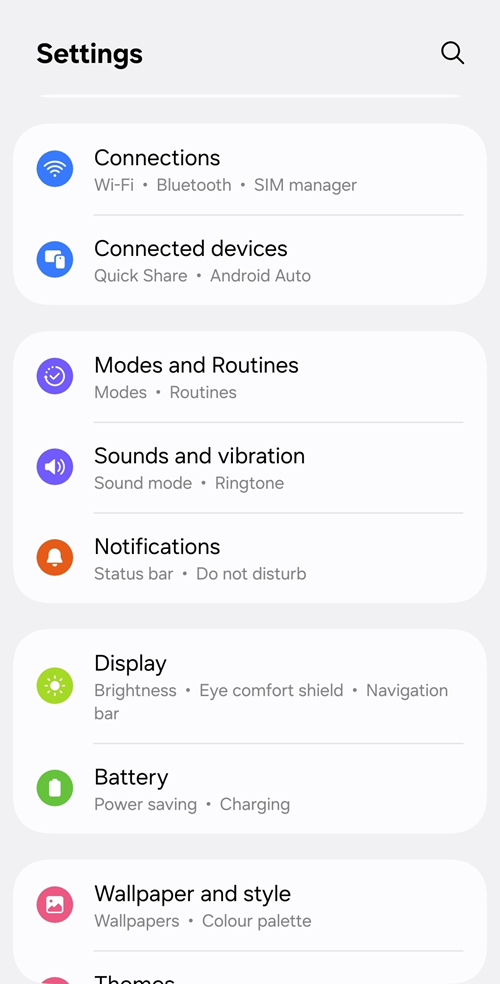
- Scroll down and find Accidental touch protection
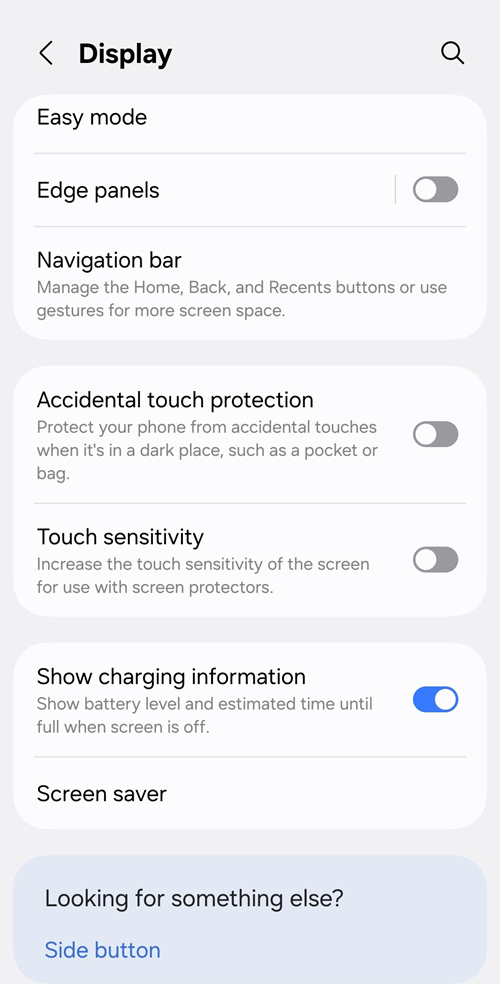
- Toggle it OFF
📍 Path:
Settings → Display → Accidental touch protection → Off
🧠 Final Thoughts
Accidental Touch Protection is a useful safety feature—but it doesn’t always work perfectly. If it interrupts your usage frequently, disabling it is completely safe and won’t affect your phone’s performance.
